Repository navigation
Problem with onedrive connection embedd #1001
Description

Describe the bug
Hi!
I have a following problem:
I want to download workbook A from project A then publish the same workbook to project B as workbook B.
One catch here is that connections need to stay the same.
Type of connection which i'm using is onedrive.
So where's the problem?
After running code below everything seems to be good.
Workbook B has been created in Project B.
Problem occurs when i ll go to datasources and then to the connections on my server.
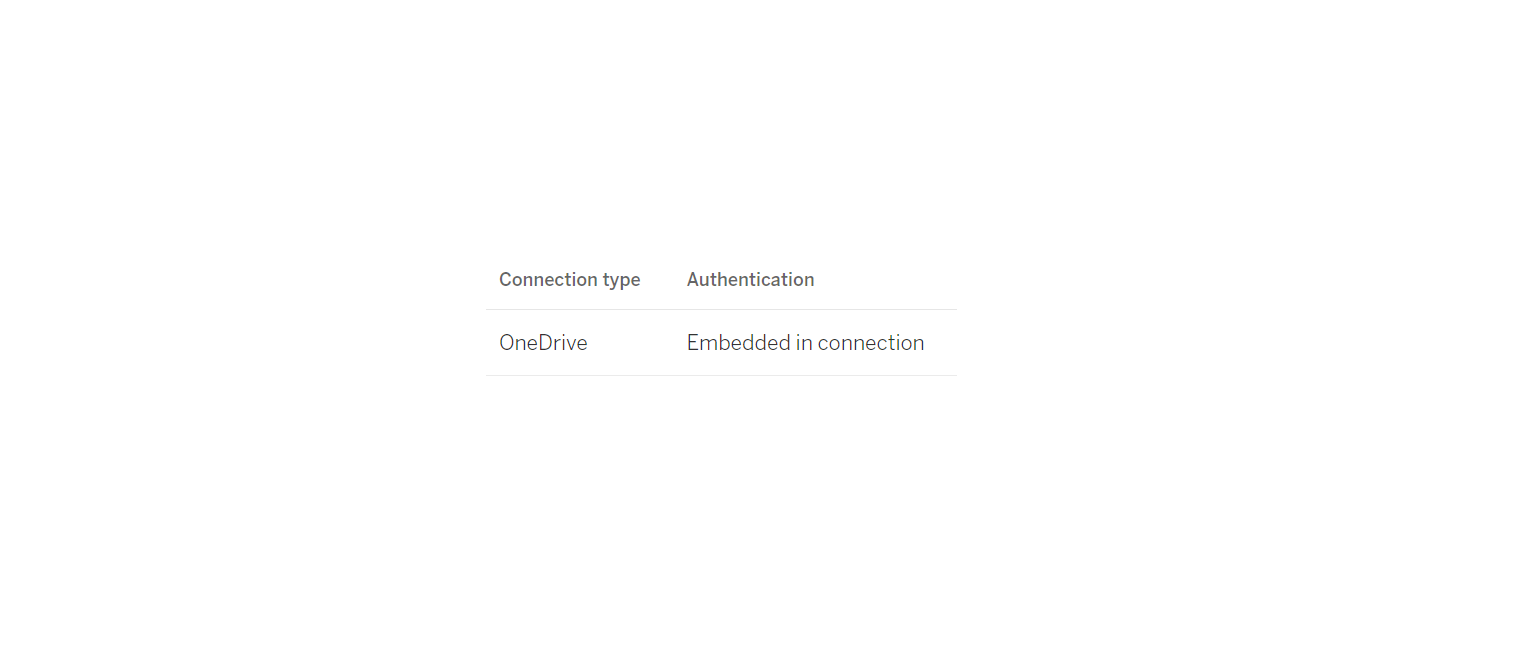
At first glance everything looks good, it's written in column Authentication that connections are embedded as on picture below:
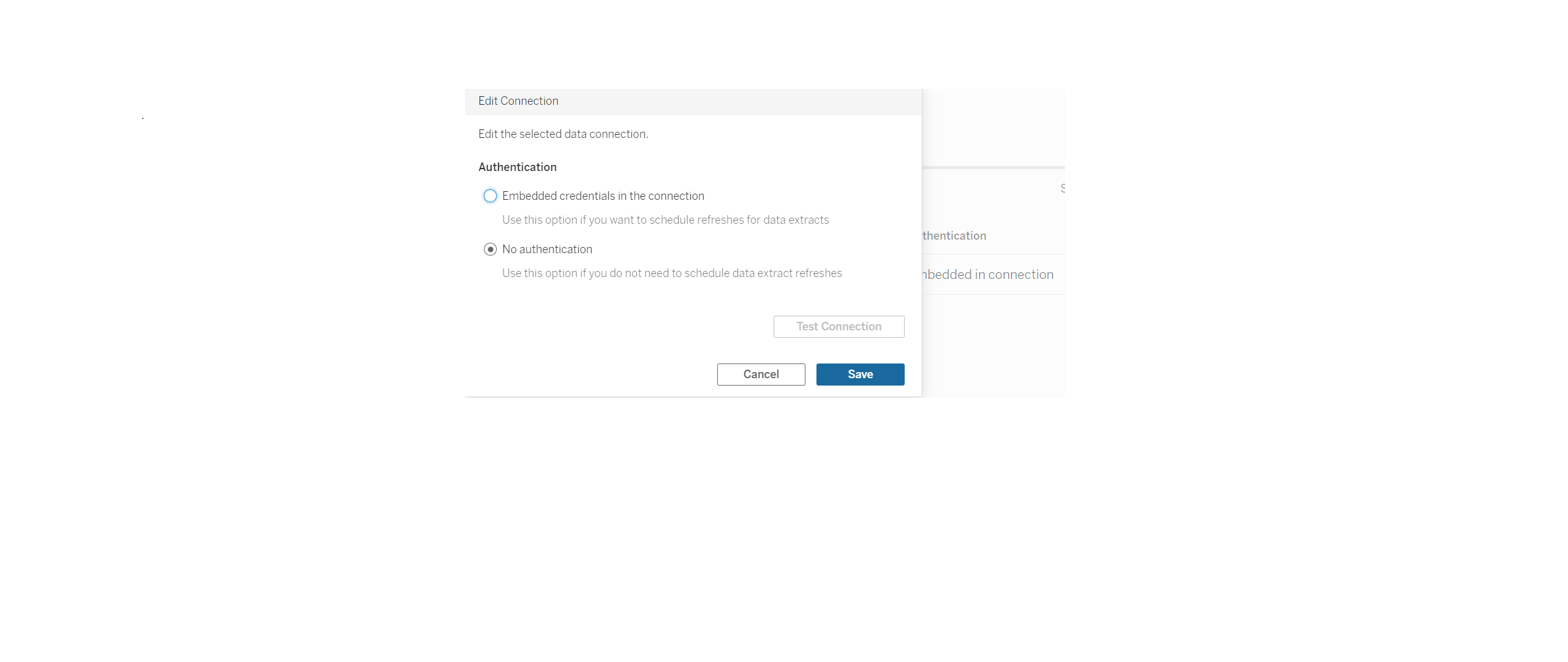
But when we ll click 'three dots' in actions then it shows that it's not embedded.
I'm 99.99% sure than credentials are good 😁
Versions
Details of environment:
Tableau Server Version: 2021.4.2 (20214.21.1217.2252) 64-bit Linux
Python 3.9.7
tableauserverclient 0.17.0.
To Reproduce
Here's code:
# connecting to the server, imports etc...

# initializing names of the projects
test_a = 'test_a'
test_b = 'test_b'

# sign into server
with server.auth.sign_in(tableau_auth):

    request_options = TSC.RequestOptions(pagesize=1000)
    # listing projects
    all_projects = list(TSC.Pager(server.projects, request_options))

    # find project test_a
    test_a = [project for project in all_projects if project.name == test_a ][0]

    # find project test_b
    test_b = [project for project in all_projects if project.name == test_b][0]

    # get all workbooks
    workbooks, _ = server.workbooks.get()

    # get workbook from project test_a
    workbook_from_a = [workbook for workbook in workbooks if workbook.project_id == test_a.id][0]

    # downloading workbook from project test_a
    server.workbooks.download(workbook_from_a.id)

    # workbook is stored in my cwd so path to it will be workbook_name + extenstion which is twbx
    path_to_workbook = workbook_from_a.name + '.twbx'

    # make new instance of WorkbookItem
    workbook_from_b = TSC.WorkbookItem(test_b.id)

    # publishing
    server.workbooks.publish(workbook_from_b,
                             path_to_workbook,
                             mode='Overwrite',
                         connection_credentials =TSC.ConnectionCredentials(my_username,
                                                                           my_pass,
                                                                           True),skip_connection_check=True)

    # information about publishing
    myloger.info(f'{workbook_from_b} has been published')
Activity
jacalata commentedon Mar 18, 2022
hi @Cloudy17g35 , have you tried doing the same process using the UI? It would be interesting to know if there is any difference when you download+publish on the webpage instead of through the API.
github-actions commentedon Aug 6, 2026
This issue has been automatically marked as stale because it has not had recent activity. It will be closed in 14 days if no further activity occurs. If this is still relevant, please comment to keep it open.
github-actions commentedon Aug 21, 2026
Closing due to inactivity. If this is still relevant, please reopen or file a new issue.
jacalata commentedon Sep 29, 2026
Circling back on this — the OneDrive connector in your example is an OAuth-based cloud-file connector, not a username/password (basic auth) connection type. Passing
TSC.ConnectionCredentials(my_username, my_pass, True)supplies basic-auth credentials, which OneDrive connections don't actually use.To embed a working OneDrive credential, the credential generally needs to be established via the actual OAuth flow (e.g., signing in through the UI) rather than supplied as a username/password pair through the REST API.