
See how people read.
A free, open-source app for exploring eye movements in reading. Check data quality, compare participants, and make figures and replay videos. No coding required.
Try it online · Download the app · Browse the gallery
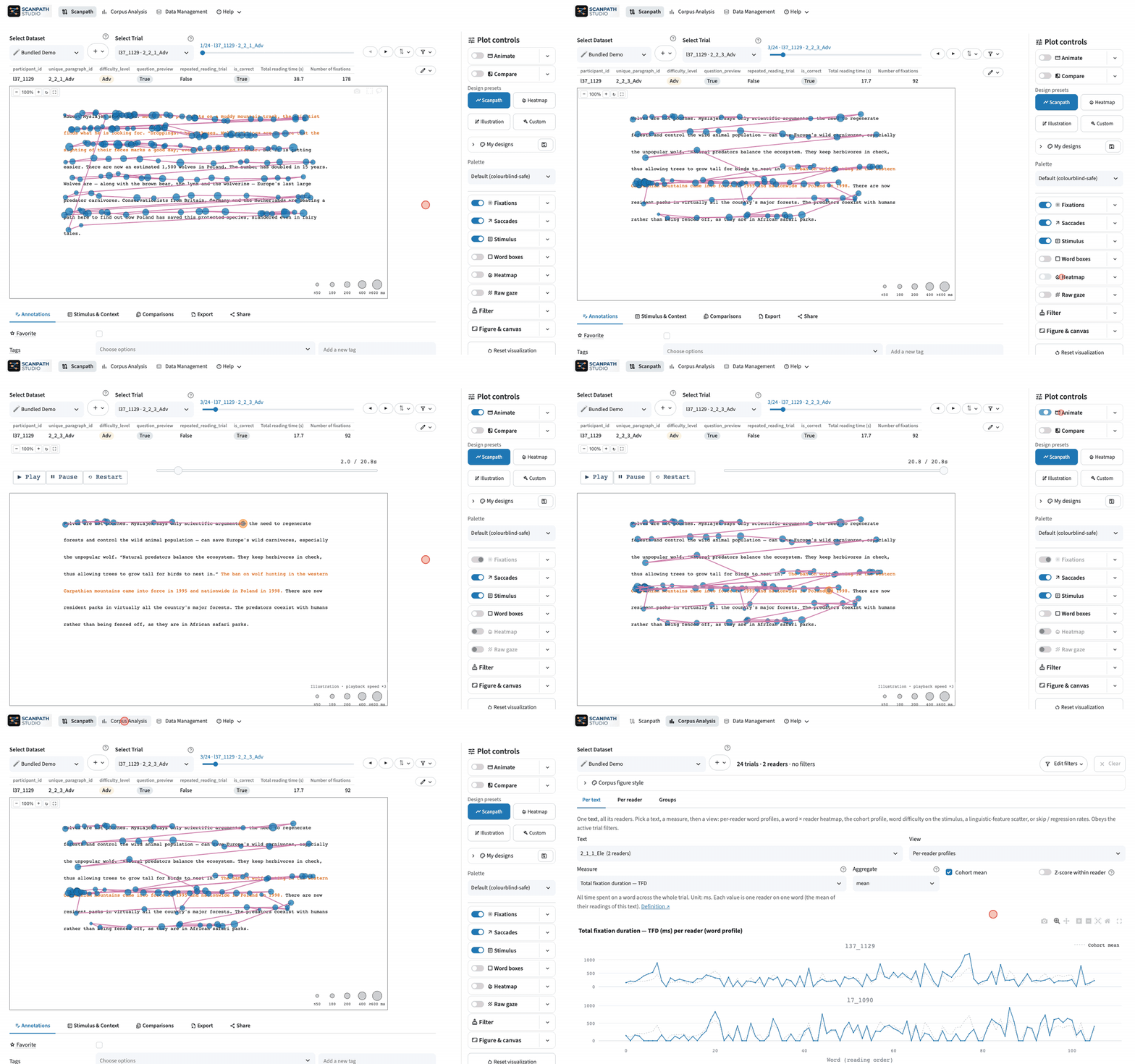


- Bring your own data. Load your Fixations, Words or Raw gaze tables, and add participant, trial and text metadata. Data guide →
- Explore and replay. View fixations, saccades and heatmaps, and replay a reading fixation by fixation. Filter trials, then star or tag the ones to revisit.
- Compare readings. Overlay two scanpaths or place them side by side, from two participants, conditions or datasets.
- Analyze a corpus. Summarize the reading measures in your data by text, participant or group.
- Export and share. Save publication-ready figures, GIF or MP4 replays, or a batch of trials. Share a view as a link.
Follow a tutorial · See it in action
Download the desktop app. You don't need Python.
Windows · macOS (Apple silicon) · Linux
A local install keeps your data on your computer. To try the app first, open the bundled demo online.
Prefer pip? Install with Python 3.11–3.14
pip install scanpath-studio
scanpath-studioBuild a figure in the app, then copy its Python or CLI code from Share → Code. The feature guides also include Python and CLI examples.
Using Scanpath Studio in your research? Cite the software (Shubi et al., 2026). The bundled demo is a subset of OneStop Eye Movements.
Report a bug or request a feature · Contribute · Code of conduct
Scanpath Studio was developed with AI assistance. As with any research software, cross-check its results before you rely on them in published work.