
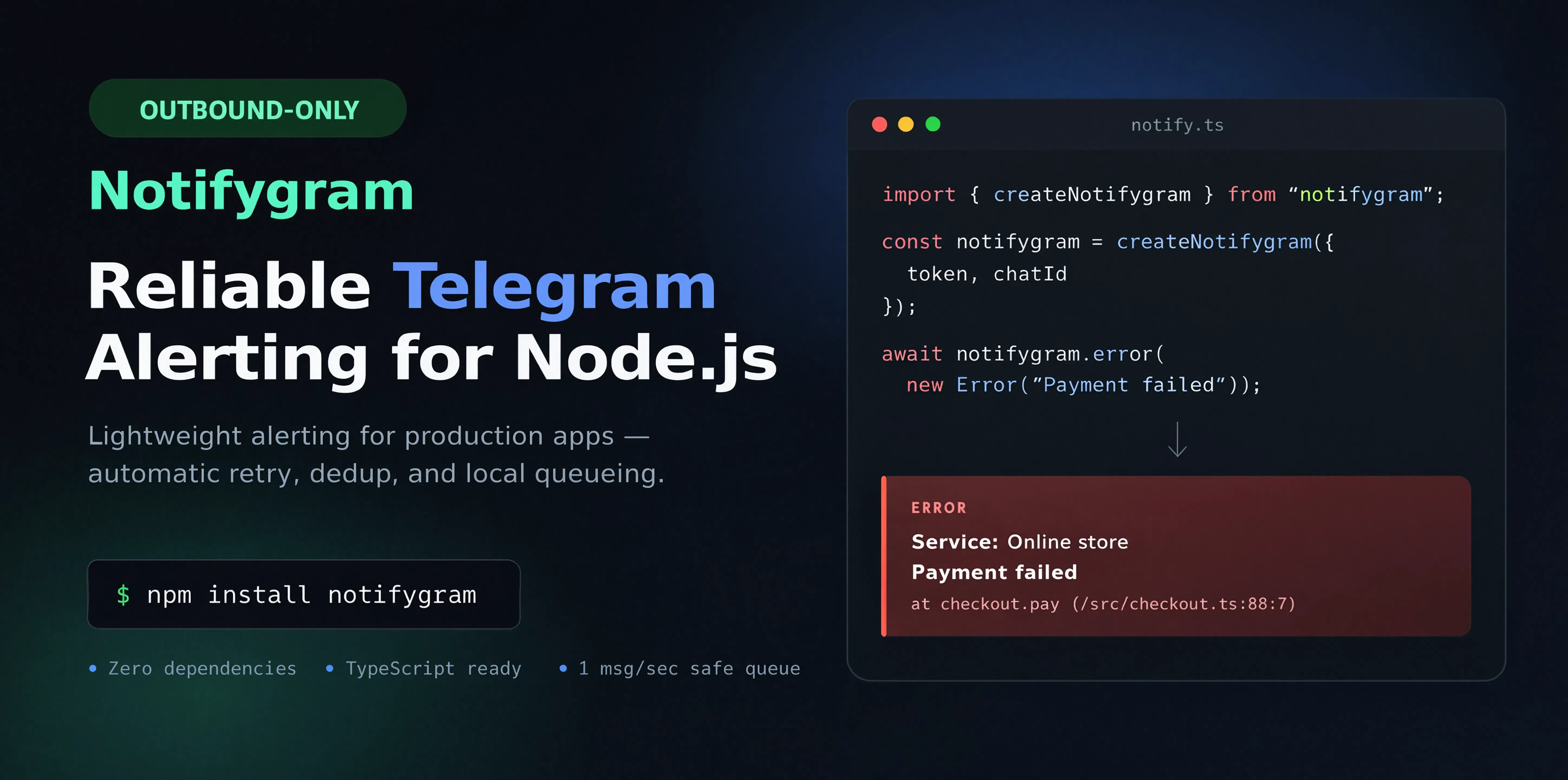


- Lightweight Node.js library for app notifications in Telegram.
- No polling, no webhooks — outbound delivery only.
- Zero external dependencies.
- Plug in a bot token and
chatId— then send messages.
- Notification types —
custom,message,info,warning,error,fatal - Metadata — service, environment, host, timestamp; stack traces for
error/fatal - Queue — at most one message per second (Telegram rate limits)
- Deduplication — repeated
error/fatalwithin 60 seconds are merged - Rich messages —
custom()with HTML or Markdown flush()— wait for delivery before a script exits
Requires Node.js 18+.
npm install notifygramYou need a bot token and a chat ID — see Bot setup. If you don't know the ID yet: npx notifygram init.
import { createNotifygram } from "notifygram";

const notifygram = createNotifygram({
  token: "YOUR_BOT_TOKEN",
  chatId: "YOUR_CHAT_ID",
});

await notifygram.info("Notifygram is ready");- Create a bot with @BotFather and copy the
BOT_TOKEN. - For a channel or group: add the bot and make it an admin.
- You can also message a private chat with the bot.
If you already know the chat ID — pass token and chatId in code, or put them in .env:
TELEGRAM_BOT_TOKEN=YOUR_BOT_TOKEN
TELEGRAM_CHAT_ID=YOUR_CHAT_ID
If you don't know the ID — run the CLI and follow the prompts:
npx notifygram init- The CLI will ask for the token (if it isn't already in
.env). - Send any message to the channel / chat / group.
- The CLI writes
TELEGRAM_BOT_TOKENandTELEGRAM_CHAT_IDto.env.
The library does not read a
.envfile itself. Load the variables into the environment before running, for example:
node --env-file=.env app.js(Node 20+), dotenv, or your host's env vars.
import { createNotifygram } from "notifygram";

const notifygram = createNotifygram({
  token: "YOUR_BOT_TOKEN",
  chatId: "YOUR_CHAT_ID",
  meta: {
    service: "Payments",
    env: "development",
  },
});

await notifygram.message("Deploy started");
await notifygram.info("Server started");
await notifygram.warning("Disk usage above 80%");
await notifygram.error(new Error("DB connection failed"));
await notifygram.fatal(new Error("Unrecoverable error"));
Rich message
await notifygram.custom(`
  <h2>Payment failed</h2>
  <p>User payment was declined</p>
`, { mode: "html" });
Short-lived script — call flush() at the end, otherwise the process may exit before delivery:
await notifygram.info("Backup done");
await notifygram.flush();
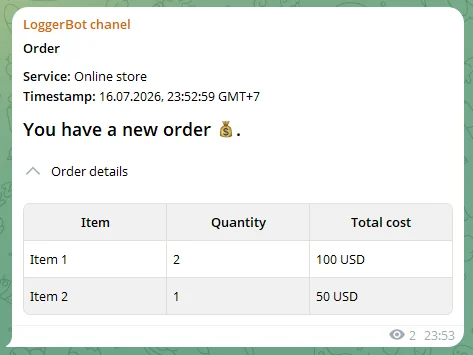
Order message example
const notifygramOrder = createNotifygram({
  token: "YOUR_BOT_TOKEN",
  chatId: "YOUR_CHAT_ID",
  meta: {
    service: "Online store",
    hostname: "web-1",
  },
  labels: {
    custom: "Order",
  },
});

await notifygramOrder.custom(`
<h2>You have a new order 💰.</h2>
<details>
  <summary>Order details</summary>
  <table bordered striped>
    <tr><th>Item</th><th>Quantity</th><th>Total cost</th></tr>
    <tr><td>Item 1</td><td>2</td><td>100 USD</td></tr>
    <tr><td>Item 2</td><td>1</td><td>50 USD</td></tr>
  </table>
</details>
`);
NotifygramOptions
| Option | Type | Description |
|---|---|---|
token |
string |
Bot token. If omitted, falls back to TELEGRAM_BOT_TOKEN. |
chatId |
number | string |
Chat or channel ID. If omitted, falls back to TELEGRAM_CHAT_ID. |
env |
EnvironmentSource |
Custom env source (get(key)). Defaults to process.env. |
meta.service |
string |
Service name in messages. |
meta.env |
string |
Environment. Defaults to NODE_ENV. |
meta.hostname |
string |
Host label (hidden when not set). |
meta.timeStamp |
boolean |
Show timestamp. Defaults to true. |
showMeta |
boolean |
Show the metadata block. Defaults to true. |
minLevel |
LogLevel |
Minimum level; messages below the threshold are not sent. |
labels |
NotifygramLabels |
Custom titles per level. |
NotifygramLabels
A partial map Partial<Record<LogLevel, string>> — custom notification titles per level. Unspecified levels keep the defaults.
| Option | Type | Description |
|---|---|---|
custom |
string |
Title for custom. No default — the title is hidden unless set. |
message |
string |
Title for message. Default: 💬 MESSAGE. |
info |
string |
Title for info. Default: ℹ️ INFO. |
warning |
string |
Title for warning. Default: ⚠️ WARNING. |
error |
string |
Title for error. Default: ❌ ERROR. |
fatal |
string |
Title for fatal. Default: ☠️ FATAL. |
All methods return Promise<void>. Telegram delivery failures do not crash the app — they are logged with console.error. Configuration errors may be thrown when creating an instance.
notifygram.message(message: string | Error, options?)notifygram.info(message: string | Error, options?)notifygram.warning(message: string | Error, options?)notifygram.error(message: string | Error, options?)notifygram.fatal(message: string | Error, options?)notifygram.custom(message: string, options?)—mode,labelnotifygram.flush()— wait for the queue
- Options in code —
createNotifygram({ token, chatId }) - Environment variables — via
process.envor a customenv.get(...)
| Variable | Required | Description |
|---|---|---|
TELEGRAM_BOT_TOKEN |
Yes, unless token is set |
Bot token |
TELEGRAM_CHAT_ID |
Yes, unless chatId is set |
Chat / channel ID |
SERVICE_NAME |
No | Default service name |
NODE_ENV |
No | Default environment |
// values must already be in process.env
const notifygram = createNotifygram({
  meta: { service: "Payments" },
});Anything below the threshold is silently dropped.
Order: custom → message → info → warning → error → fatal.
minLevel |
What gets sent |
|---|---|
"custom" (default) |
all levels |
"message" |
message … fatal |
"info" |
info … fatal |
"warning" |
warning, error, fatal |
"error" |
error, fatal |
"fatal" |
fatal only |
const notifygram = createNotifygram({
  token: "YOUR_BOT_TOKEN",
  chatId: "YOUR_CHAT_ID",
  minLevel: "error", // in production — skip info and warning
});

await notifygram.info("Server started"); // not sent
await notifygram.error("DB failed"); // sentYou can set them when creating an instance:
const notifygram = createNotifygram({
  labels: {
    info: "Information",
    warning: "WARNING",
    error: "ERROR",
    custom: "Order"
  },
});
For
custom, no title is shown by default — set it inlabelsor via{ label }at call time:
At send time (overrides labels):
await notifygram.info("Test message", { label: "INFO LABEL" });
await notifygram.custom("<b>New order</b>", { label: "Order #42" });The bundler injects env at build time — pass values explicitly or via a custom env:
const notifygram = createNotifygram({
  token: import.meta.env.VITE_TELEGRAM_BOT_TOKEN,
  chatId: import.meta.env.VITE_TELEGRAM_CHAT_ID,
});
const notifygram = createNotifygram({
env: {
get(key) {
const map = {
TELEGRAM_BOT_TOKEN: import.meta.env.VITE_TELEGRAM_BOT_TOKEN,
TELEGRAM_CHAT_ID: import.meta.env.VITE_TELEGRAM_CHAT_ID,
SERVICE_NAME: import.meta.env.VITE_SERVICE_NAME,
NODE_ENV: import.meta.env.MODE,
};
return map[key];
},
},
});Warning
On the frontend, the bot token will end up in the browser. That risk is your responsibility. For production, prefer sending notifications from the server.
Queue, deduplication
Messages are sent at most once per second — this respects Telegram rate limits.
Only for error() and fatal(). Identical messages within 60 seconds are grouped; after 2 seconds of silence (or flush()), a single message is sent, e.g. ERROR (3 times in the last 60 seconds).
message(), info(), and warning() are always sent separately.