
Lock folders and apps with Touch ID on macOS
Encrypted disk images for folders, a launch gate for apps


npm i -g @freyzo/tlockNeeds macOS, Node.js 18+ and the Xcode Command Line Tools (xcode-select --install).
Anyone who sits down at your unlocked Mac can open your private folders and apps. And when you step away while agents or builds are running, you want everything locked without stopping the work.
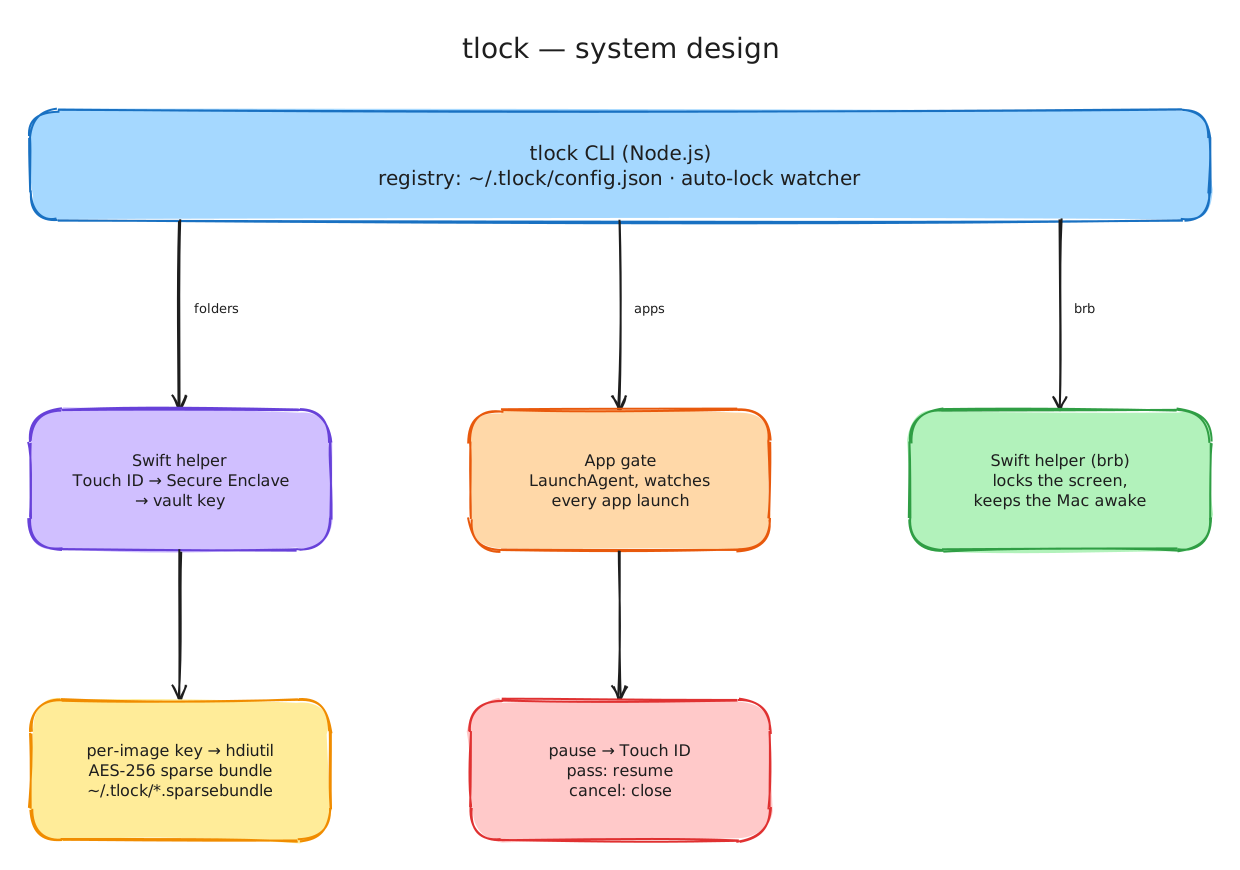
- Real encryption, not just a prompt. A locked folder becomes an AES-256 disk image whose key only the Secure Enclave releases, after Touch ID or your Mac password.
- Apps are never modified. A small gate pauses a locked app at launch until you pass Touch ID.
- It locks itself again on screen lock, sleep or idle, and
tlock brblocks everything when you step away.
| You want | Command |
|---|---|
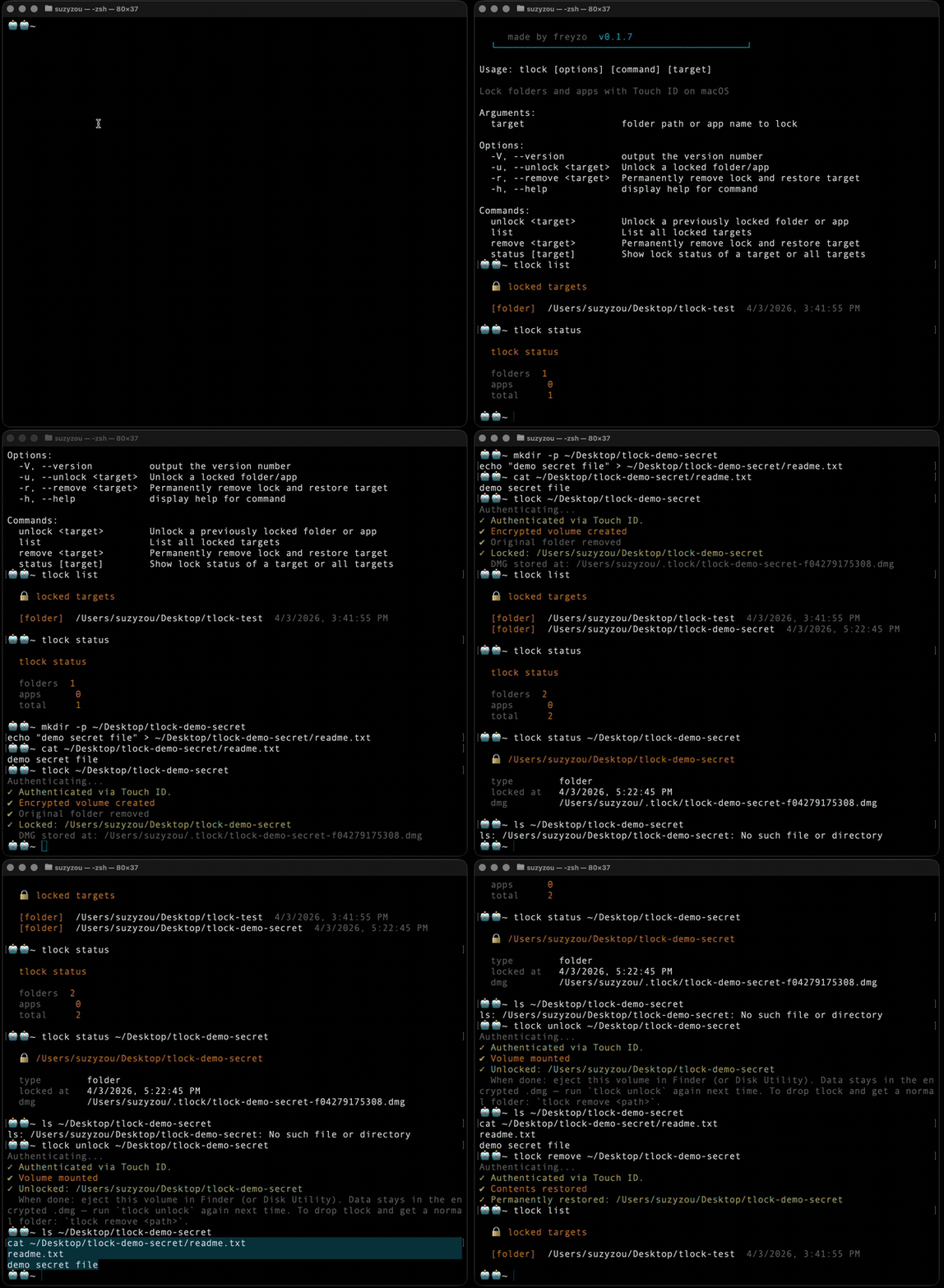
| Lock a folder or an app | tlock ~/Taxes · tlock "Brave Browser" |
| Open it | tlock -u ~/Taxes |
| Open it for 30 minutes | tlock -u ~/Taxes --for 30m |
| Lock it again, or every open folder | tlock ~/Taxes · tlock -a |
| Step away, keep agents running | tlock brb |
| Auto-lock and app grace settings | tlock autolock |
| Remove the lock (restores the folder) | tlock -r ~/Taxes |
| Destroy a locked folder for good | tlock -s ~/Taxes |
| See what is locked | tlock list |
| Forgot the recovery passphrase | tlock reset |
tlock -h lists everything.
Before you start
- Your first lock asks for a recovery passphrase. Touch ID unlocks day to day; the passphrase is your way back in on a new Mac. Forget it and lose this Mac, and locked folders cannot be recovered.
- Locking a folder inside iCloud Drive or Dropbox deletes it from the cloud too.
- Backups made before locking (Time Machine, snapshots) still hold the plain files. Turn on FileVault.
- The app gate is a deterrent: someone with a terminal on your unlocked Mac can stop it. Folders are truly encrypted.


