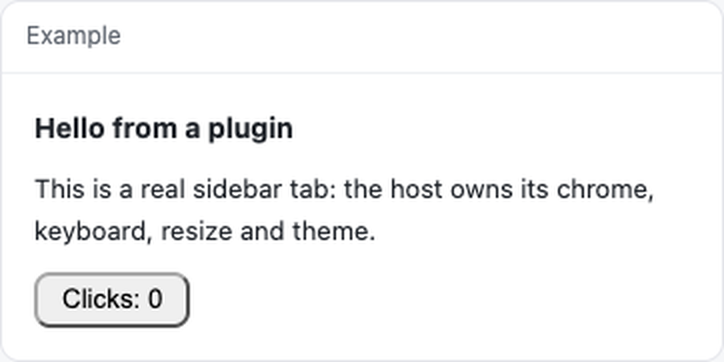

A DeepSeek Harness plugin in ~70 lines: one sidebar tab that says hello and counts clicks. It exists to be read, copied, and installed in one command.
dsh plugin add dsh-plugin-example| Piece | Where | Why it is worth copying |
|---|---|---|
| The bundle envelope | client.js first and last lines |
A client plugin is one file calling window.__ModuleLoader__.load({ id, factory }). No bundler, no relative imports. |
| The tab | apply() → sidebarRightTabs.register |
kind is what the tab is opened by; title is a function, because it is re-read when the language changes. |
| The body | slots.register({ name: 'sidebar.right.pane.tab', key }) |
The host injects the pane; you render its contents and inherit its theme. |
| Two languages | COPY + ctx.locale.register |
Keys missing from one language fall back to the other, so a half-translated plugin still renders. |
| The host half | index.js |
Empty here on purpose: a plugin with nothing to serve does not need routes. |
From a checkout, the tab runs in Node without the harness:
npm install
npm run example
examples/render.mjs mounts the real client.js through the same
dsh-plugin-toolkit helper
the test uses, prints what the host would render, clicks the button once, and
prints again:
mounted client.js
  Hello from a plugin This is a real sidebar tab: the host owns its chrome, keyboard, resize and theme. Clicks: 0
clicked [data-testid="bump"] once
  Hello from a plugin This is a real sidebar tab: the host owns its chrome, keyboard, resize and theme. Clicks: 1
That is the whole feedback loop: edit client.js, rerun, read the text. Point it
at another bundle with npm run example -- path/to/client.js. The test below is
the same loop with assertions instead of a printout.
npm run checkcheck runs dsh-plugin verify .: it packs the tarball, installs it, imports the
host half and mounts the panel from the installed copy. doctor reads the
working folder and would still pass if files forgot client.js — verify is the
one that notices. CI runs the same check through
WJDdidi-1/dsh-plugin-toolkit@v1 with version: latest, so the pin below only
affects your own npm test.
npm install
npm test
The one test mounts the real client.js in jsdom with the real React, through dsh-plugin-toolkit:
const panel = await mountClient({ file: 'client.js' });
assert.equal(panel.text(), 'Hello from a plugin');
await panel.click('[data-testid="bump"]');
assert.match(panel.text(), /Clicks: 1/);
That is the difference between "the bundle parses" and "the button works".
Does it need a build step?
No. client.js is the file the host loads: it calls
window.__ModuleLoader__.load({ id, factory }) and gets React through the
host's module loader. There is no bundler and no build output to commit.
The tab does not appear. What should I check?
The tab registers as kind: 'example' in the right sidebar, so look there
first. It requires harness >=0.2.0 (the first version with
sidebarRightTabs). To see what the host would render without the harness:
npm install
npm run example
Why does the click count start over at zero?
clicks is a local useState in Panel, so it exists only while the tab is
mounted. Closing the tab or reloading the window starts a fresh count; this
example does not persist it.
Can I run the example against my own bundle?
Yes — examples/render.mjs takes a path:
npm run example -- path/to/client.jsYour bundle needs a [data-testid="bump"] button for the click step; remove
that block from examples/render.mjs if it does not have one.
Does it need network access, an API key, or extra permissions?
No. client.js and index.js make no network calls and read no environment
variables. The dependencies are dev-only, for the test and the example.
| Harness | >=0.2.0 (the version that ships sidebarRightTabs) |
| Node | >=18, for the test only |
| Permissions | none: no network, no key, no telemetry |
Apache-2.0.