Describe it. Watch it take shape.
Project page · npm · Apache-2.0
Chamfer is an AI CAD designer that turns text and reference images into verified, parametric 3D models. For complex requests, it creates an evidence-backed plan, executes it over multiple steps, retrieves build123d guidance as needed, and checks both geometry and visual fidelity before finishing. CAD executes locally in your browser; fine-tune dimensions with live sliders, then export STEP, STL, 3MF, or Python. Prompts and attached images are sent to the model provider you configure. CAD execution, geometry, conversations, and settings stay local.
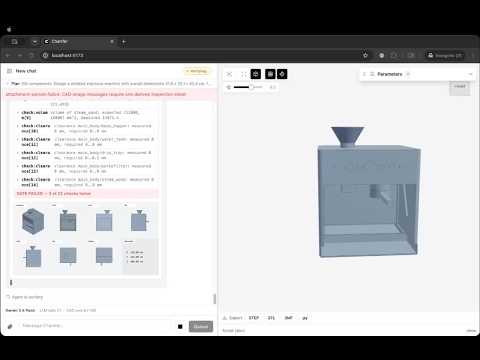
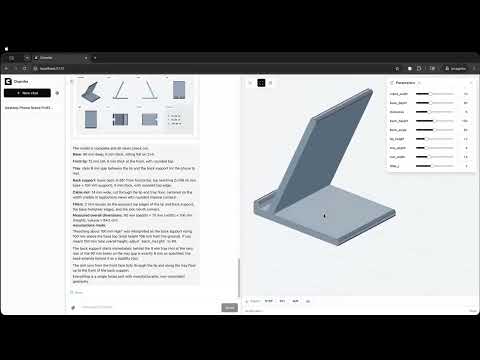
- Text and image prompts for reference-guided CAD
- Plan-first execution for long, multi-component builds
- Retrieval-backed build123d docs and progressive skill loading
- Context compaction for reliable long-running sessions
- Multi-view visual self-verification against reference images
- Browser-local build123d execution with kernel-enforced checks
- Live parametric sliders and STEP, STL, 3MF, or Python export
Requires Node.js >= 22.19.
npx chamferOpen the printed URL, add your API key in Settings, and describe a part or click one of the preset prompts.
Your conversations and settings live in ~/.chamfer.
Instead of typing keys into Settings, you can put them in a .env or .env.local file in the directory you run chamfer from.
See .env.example for every supported variable (provider API keys, base URLs, default model, port, data dir) with explanations.
Values found in the environment appear pre-filled in Settings with a .env badge; anything you change there overrides the environment and can be reverted with "Reset to .env".
npm install
npm run devApache-2.0 (LICENSE). NOTICE covers the bundled runtime components.