Repository navigation
Using Home Assistant
Home Assistant will utilize MQTT to publish commands to the Python application for controlling your window display. Once configured, a Lovelace card can be created in the frontend:
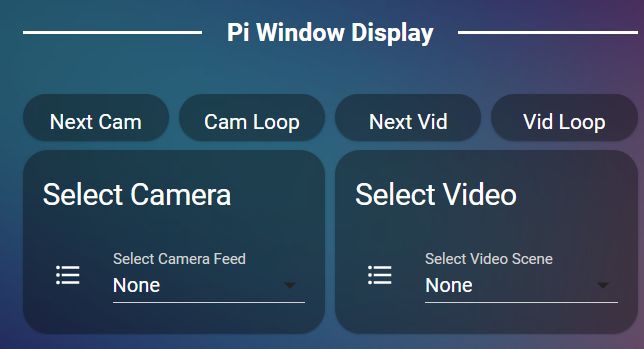
The /homeassistant folder contains sample scripts, automations and other details (including the Lovelace yaml to create the above card). It is likely that you will need to make at least some modifications based on your particular Home Assistant install.
If you change the default MQTT topic in the Python application, note that you must update all the MQTT calls in the provided yaml files to match the changed topic. See the wiki MQTT page for more information on MQTT topics and payloads.