



THIS REPOSITORY IS FOR EDUCATIONAL PURPOSES ONLY
The code in this repository demonstrates file mutation, steganography, and self-replication techniques used in malware. This is a SAFE, CONTROLLED DEMONSTRATION meant to teach cybersecurity concepts.
- ✅ All operations are isolated to the current folder
- ✅ No system files are modified
- ✅ No network activity occurs
- ✅ No malicious intent or functionality
Using these techniques for illegal purposes is strictly prohibited. Always get proper authorization before testing security concepts.
Watch the full demonstration on YouTube:
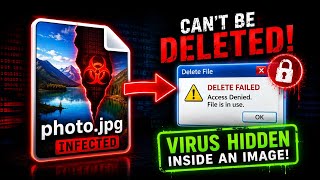
This repository contains THREE Python virus demonstrations that show:
- SHA-256 Mutation - File changes its hash every time it runs
- Multi-Node Replication - Virus creates copies and hides in images
- Windows Steganography - Virus hides in images, deletes itself, and recovers
Each demonstration builds on the previous one, showing increasingly sophisticated techniques.
File: virus_1_sha256_mutation/mutating_hash.py
Description: The simplest demonstration. A Python script that changes its own SHA-256 hash every time it's executed. This shows how file mutation works at the most basic level.
Features:
- Self-modifying code
- SHA-256 hash changes on every run
- Signature evasion demonstration
- Safe and isolated operation
How It Works:
- Script reads itself
- Adds random data at the end
- Saves itself with new content
- SHA-256 hash changes completely
- Original code still works
Run:
python mutating_hash.py
sha256sum mutating_hash.py # Check hash changeFile: virus_2_multi_node/multi_node_virus.py
Description: A more advanced demonstration. The virus creates 3 copies of itself (nodes), each hiding inside images and generating recovery engines. Even if you delete the originals, the images hold the virus.
Features:
- Self-replication (3 nodes)
- Image steganography (LSB)
- Recovery engine generation
- Persistence after deletion
- Multi-node redundancy
How It Works:
- Virus creates 3 folders (Node_01, Node_02, Node_03)
- Copies itself into each folder
- Creates a recovery engine in each node
- Images hold hidden virus data
- Recovery engines extract the virus
Run:
python multi_node_virus.py
python node_01/recovery_engine.py # Recover from Node 1File: virus_3_windows_steganography/mutating_virus.py
Description: The most advanced demonstration. A Windows-based virus that embeds itself into images, deletes the original, and creates a recovery engine. Each recovery produces a file with a NEW SHA-256 hash.
Features:
- LSB steganography (hides in images)
- Self-deletion after embedding
- Recovery engine creation
- SHA-256 hash mutation on recovery
- Works with or without existing images
- Notepad demonstration
How It Works:
- Virus finds or creates an image
- Embeds itself using LSB steganography
- Creates a recovery engine (different file)
- Asks for confirmation
- Deletes itself
- Recovery engine extracts the virus
- New file has DIFFERENT SHA-256 hash
Run:
# Install dependencies
pip install -r requirements.txt

# Run the virus
python mutating_virus.py

# After self-deletion, run recovery
python recovery_engine.pyThe LSB (Least Significant Bit) steganography technique hides data in the lowest bits of image pixels:
# Hide data in image
binary_data = encode_to_binary(data)
for i, bit in enumerate(binary_data):
    pixels[i] = (pixels[i] & 0xFE) | int(bit)

# Extract data from image
binary_data = ''.join(str(pixel & 1) for pixel in pixels)
data = decode_from_binary(binary_data)The virus modifies itself to change its hash:
# Read current script
with open(__file__, 'rb') as f:
    content = f.read()

# Add random data
random_data = os.urandom(16)
new_content = content + random_data

# Save (hash changes!)
with open(__file__, 'wb') as f:
f.write(new_content)The virus creates copies and recovery mechanisms:
# Create nodes
for i in range(3):
    create_node(i)
    copy_virus_to_node(i)
    create_recovery_engine(i)
    embed_in_image(i)

# Self-destruct
delete_original()# Python 3.9+ required
python --version
# Install dependencies
pip install -r requirements.txtgit clone [https://github.com/YOUR_USERNAME/Python-Mutating-Virus-Demo.git](https://github.com/YOUR_USERNAME/Python-Mutating-Virus-Demo.git)
cd Python-Mutating-Virus-Demorequirements.txt:
pillow==10.1.0
numpy==1.24.3
cd virus_1_sha256_mutation
python mutating_hash.pycd virus_2_multi_node
python multi_node_virus.pycd virus_3_windows_steganography
python mutating_virus.py| Feature | Virus 1 | Virus 2 | Virus 3 |
|---|---|---|---|
| SHA-256 Mutation | ✅ | ✅ | ✅ |
| Self-Replication | ❌ | ✅ | ✅ |
| Image Steganography | ❌ | ✅ | ✅ |
| Self-Deletion | ❌ | ❌ | ✅ |
| Recovery Engine | ❌ | ✅ | ✅ |
| Multi-Node | ❌ | ✅ | ❌ |
| Windows Support | ❌ | ❌ | ✅ |
All viruses include built-in safety measures:
- ✅ Isolated to current directory
- ✅ No system file modification
- ✅ No registry changes
- ✅ No network activity
- ✅ No data exfiltration
- ✅ User confirmation required
- ✅ Educational warnings displayed
- ✅ Cleanup possible by deleting folder
Contributions are welcome! Please:
- Fork the repository
- Create a feature branch
- Make your changes
- Submit a pull request
Guidelines:
- Keep educational focus
- Maintain safety features
- Add clear documentation
- Test all code before submitting
This project is licensed under the MIT License - see the LICENSE file for details.
Join our community to discuss this project and cybersecurity topics:
🐍 Discord Server: https://discord.gg/rbCmYGg2rd
🐍 Follow on X (Twitter): https://x.com/MrHackerCharlie
🐍 Visit Website: https://mrhackercharlie.unaux.com

If you found this educational or interesting, please star the repository!

THIS REPOSITORY IS FOR EDUCATIONAL PURPOSES ONLY
- ✅ Use this to learn about cybersecurity
- ✅ Use this to understand how malware works
- ✅ Use this to protect against attacks
- ❌ DO NOT use for illegal activities
- ❌ DO NOT use on systems without authorization
- ❌ DO NOT distribute as actual malware
Remember: With great power comes great responsibility.
For business inquiries, collaborations, or questions:
- Discord: https://discord.gg/rbCmYGg2rd
- Twitter: @MrHackerCharlie
- Website: mrhackercharlie.unaux.com
Made with ❤️ for the cybersecurity community
#Python #Virus #Cybersecurity #EthicalHacking #KaliLinux #Windows #Steganography