Repository navigation
Home
AllInOneIME is a macOS input method with AI commands in every text field. Start a sentence with @, write, and
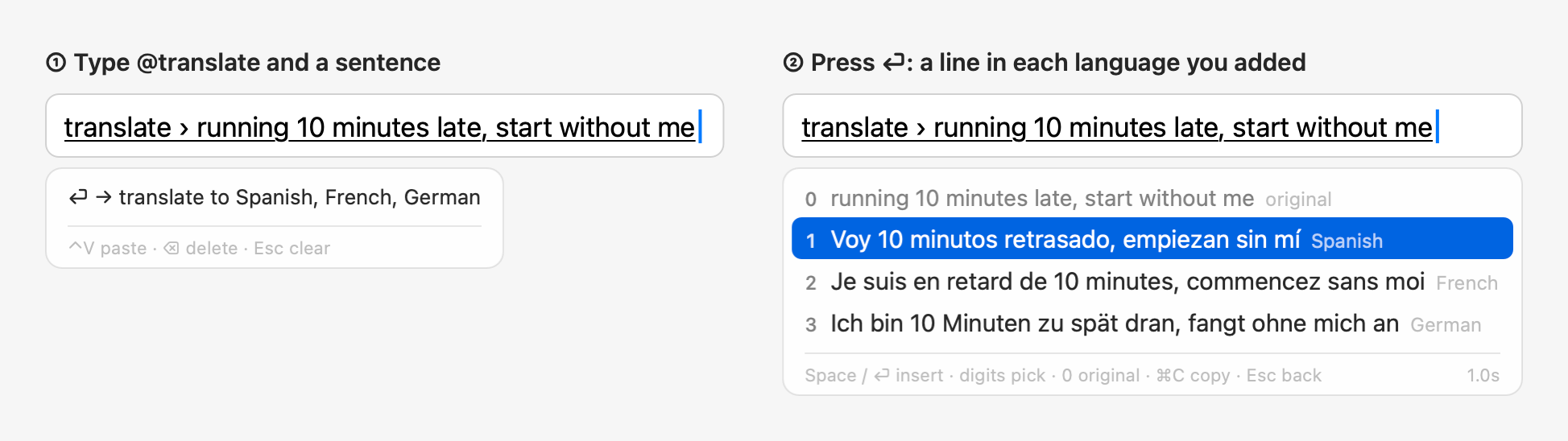
press ⏎: the command runs on what you wrote. Without @, your keys go to the app as usual. It's also a full
Chinese (pinyin) input method, built on Rime and rime-ice, for those who want one.
-
Writing:
@improvepolishes what you wrote and offers rewrites (concise, formal, casual, tactful, jargon);@translatetranslates it into the languages you add;@questionanswers a question. -
Your Mac:
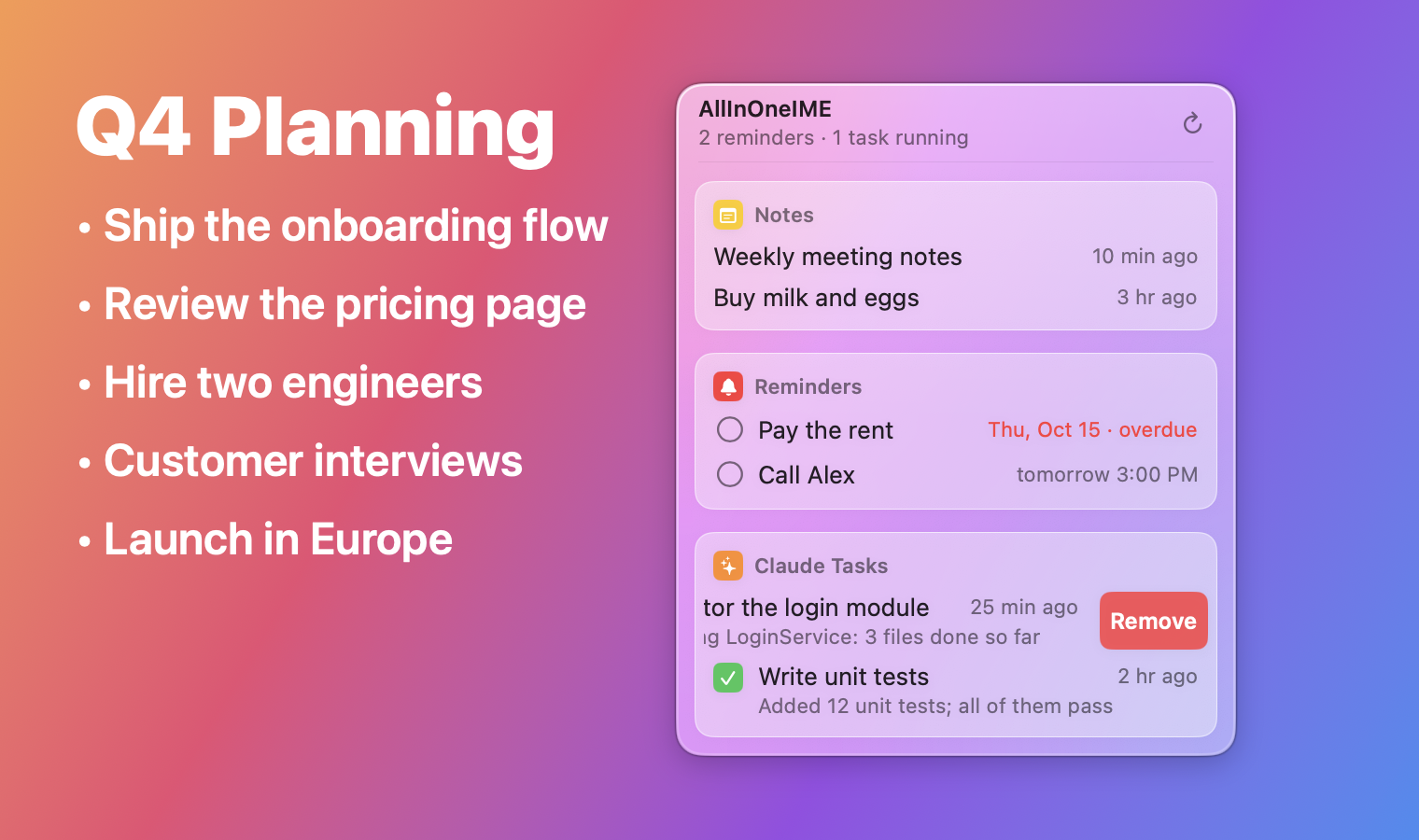
@openfinds files, folders and apps or opens a web address;@notesaves to Notes;@reminderadds to Reminders, reading the time you wrote ("tomorrow at 3pm");@calculatedoes arithmetic;@pyand@jsrun a line of code;@imessagesends an iMessage. -
Claude Code:
@claudehands a task to Claude Code in the background and notifies you when it's done;@tasksand the menu bar panel list them. - Voice: hold right ⌥ and talk; speech is recognized on the Mac and the audio isn't uploaded.
-
Your own commands and plugins: an AI instruction, a program, or a web page, under any
@nameyou pick.
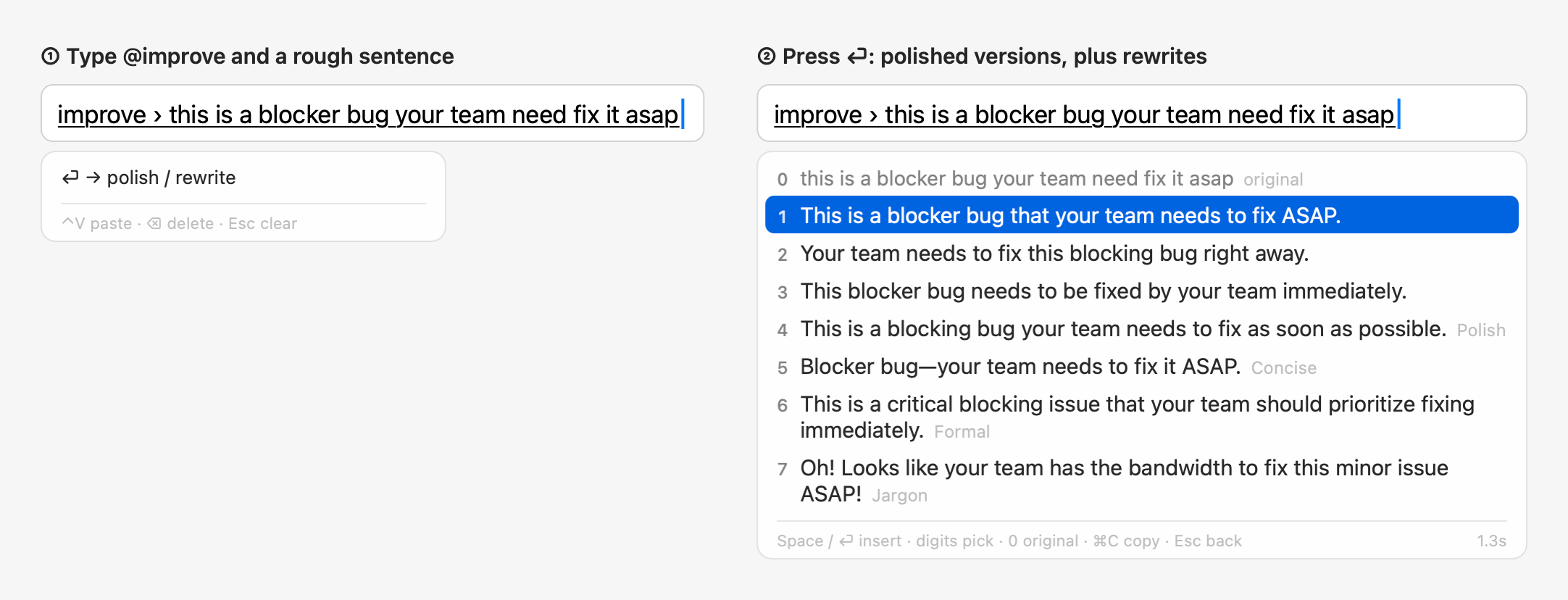
The AI is your own: Amazon Bedrock in your AWS account, or the Claude API, Gemini or an OpenAI-compatible service with your API key. Text goes to it only when you press ⏎ on a command, never during secure input (password fields).
Click the ∞ icon in the menu bar for the notes, reminders and Claude tasks you started with it; swipe a row left to remove it:
| Page | Contents |
|---|---|
| Installation and Troubleshooting | Requirements, installing, adding and switching, permissions, common problems, uninstalling, upgrading |
| Commands | Every command with an example, the command list, the action key, the keys, ⌃V and ⌘V |
| Settings and Configuration | Each item of the settings window, the input menu, every config.json key, AI providers |
| Voice Input | Holding right ⌥ to talk, the speech models, permissions and problems |
| Rewrite Styles and Jargon | The six rewrite styles, and how to write your own jargon list |
| Privacy | What is sent to the AI and when, secure input, where local data is kept |
| Development | Code layout, make targets, tests, screenshots, release checklist |
| FAQ | Frequently asked questions |
Install it from Releases; quick start and more
screenshots are in the README. License: GPL-3.0; the
third-party components are listed in THIRD_PARTY_NOTICES.md in the repository.