

215+ free animated components and backgrounds for React.
Tune them yourself, or hand them to your agent.


Documentation · Installation · MCP · Tools · Pro

Every component has a live demo with controls, and comes in four flavors: JavaScript or TypeScript, styled with CSS or Tailwind.
| Category | Count | What you'll find |
|---|---|---|
| Text Animations | 33 | Split text, typewriters, rotating words and scroll reveals |
| Animations | 38 | Cursor effects, hover interactions, borders and image effects |
| Components | 48 | Cards, navigation, carousels and galleries |
| Micro | 34 | Buttons, toggles, indicators and other small interface details |
| Backgrounds | 63 | Gradients, particles, grids and shader effects for whole sections |
The complete React toolkit for crafting memorable UI. React Bits stays free forever. Pro takes you from individual effects to complete pages, product UI, templates and an Agent Kit, all delivered as source you own.

"Everything about this is next level." — @shadcn
"Paid once, and he keeps shipping updates. Easiest value I've gotten from any tool." — @juandadotdev
Pay once, keep every update. Every file is yours to edit, and lifetime access includes every future update. Want to see how it fits your workflow first? Grab a free template and agent skill, no checkout needed.


Add any component with the shadcn CLI. The suffix picks the flavor: JS or TS, then CSS or TW.
npx shadcn@latest add @react-bits/SplitText-TS-TWOr with jsrepo:
npx jsrepo@latest add https://reactbits.dev/r/SplitText-TS-TWPrefer to copy by hand? Open a component's Code tab, pick your flavor and paste the files into your project. The installation guide covers both.
React Bits works with the shadcn MCP server, so Claude Code, Cursor, Codex, VS Code and Antigravity can find and add components for you. Add the registry to your components.json:
{
  "registries": {
    "@react-bits": "https://reactbits.dev/r/{name}.json"
  }
}
Then connect your client, for example npx shadcn@latest mcp init --client claude, and ask for what you need. See the MCP guide for every client.
Three free tools for making assets with React Bits, right in the browser.

- Background Studio: browse every animated background, start from a preset and tune it live. Export the code, a high-resolution image or a looping MP4 or WebM video.
- Shape Magic: design a logo mark from shapes, patterns, text or your own SVG, then give it a 3D material like chrome, glass or neon. Export SVG, PNG, favicons, video or React.
- Texture Lab: run photos, videos or your camera through 160 one-click styles and 75+ stackable effects, from ASCII and halftone to glass and glitch. Export images, videos or GIFs.
React Bits is supported by these sponsors. Become a sponsor to reach 500K+ developers every month.
Diamond


Silver


Contributing. Ideas and fixes are welcome. Browse the open issues, suggest something with the feature request template, and read the contribution guide before opening a pull request.
Official ports. React Bits is also available for Vue and Svelte.
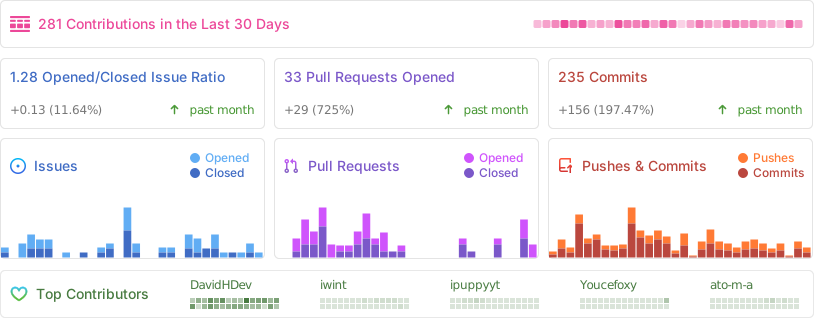
Contributors. Thanks to everyone who has helped build React Bits.
React Bits occasionally draws inspiration from publicly available code examples. These are rewritten as full-fledged, customizable components for JS, TS, CSS and Tailwind. If you recognize your work, open an issue to request credit.
Some Texture Lab effects and Shape Magic materials are adapted from Paper Shaders (Apache 2.0) and Shaders.com by Shader Effects Inc. (MIT). The third-party notices for Texture Lab and Shape Magic list the adapted files and include the licenses.
MIT + Commons Clause, free for personal and commercial use. Created and maintained by David Haz.